nteract 2.0
A ground-up rebuild of the notebook app.
New runtime, new architecture, new everything.
- nteract
- release
- 2.0
Today we're releasing nteract 2.0. It's a ground-up rebuild of the much-loved notebook app. Here's what we built and why.
What is nteract?
nteract is a desktop notebook app for macOS, Windows, and Linux. You double-click a .ipynb file, it opens, a kernel starts, and you're running code. No browser, no server to manage. Just straight up iteration.
We originally built nteract on Electron back in 2016. This is a complete rewrite in Rust and TypeScript on Tauri. We've got a daemon that manages runtimes, a document engine backed by Automerge, and a whole suite of elements to create new frontends.
The big ideas
Kernels are out, Environments are in
nteract is flipping how runtimes work with Python. We're not "kernel" based. We're environment based. Launch a notebook runtime attached to an environment of your choosing.
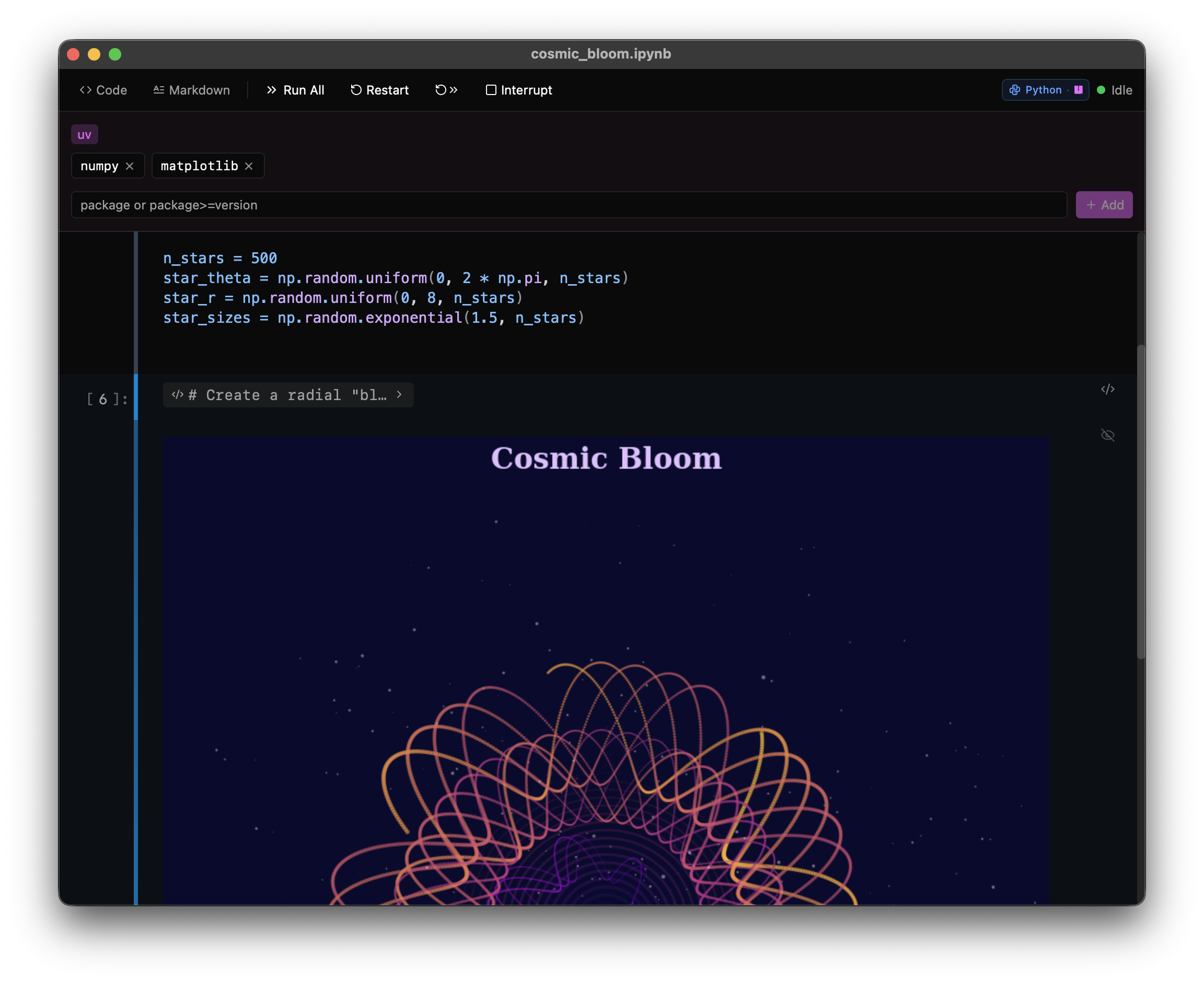
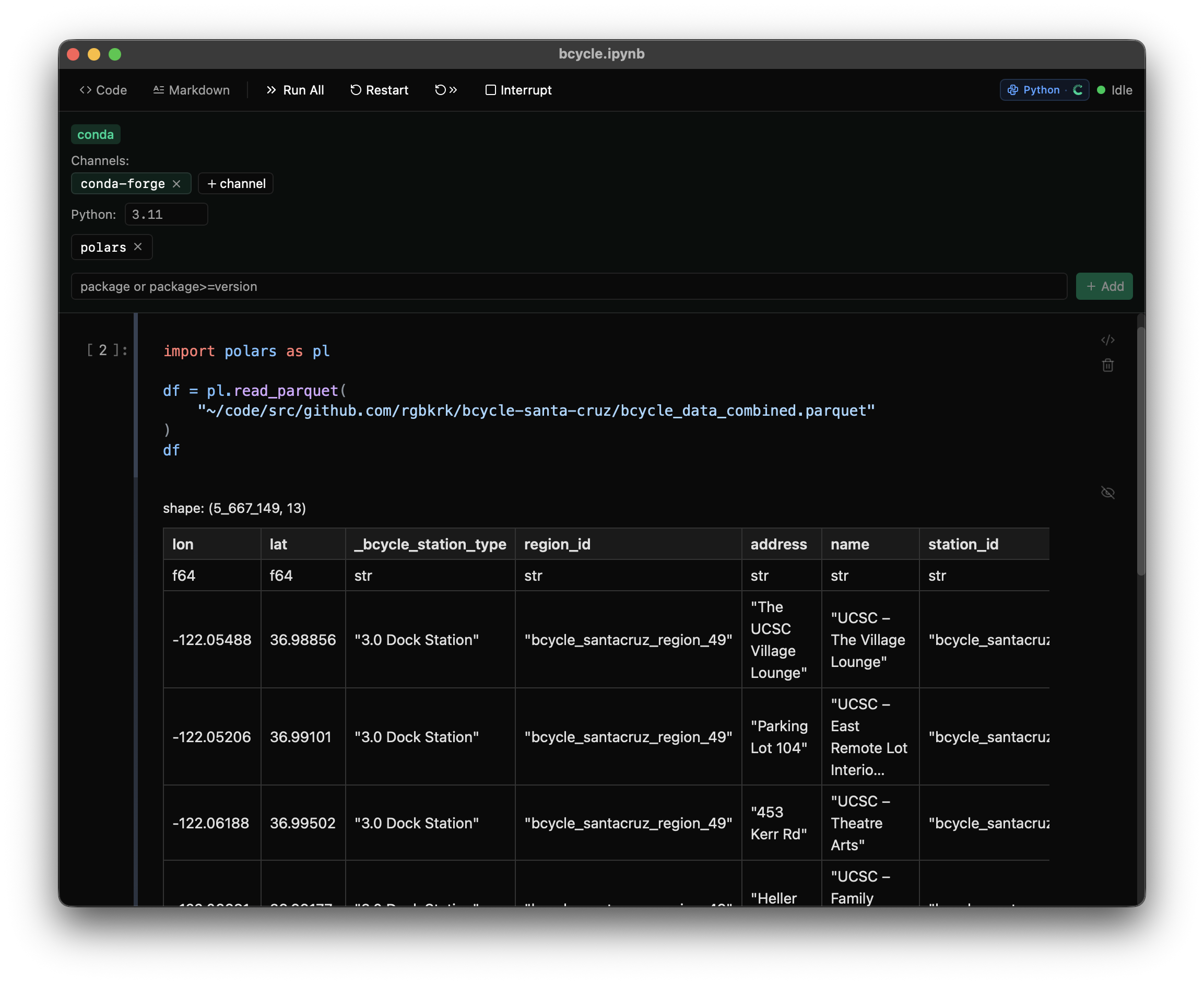
The two main modes are:
- Project based:
pyproject.toml,pixi.toml, andenvironment.ymlare detected by nteract, walked up to the closest match just like normal package managers do. - Inline dependencies: Store dependencies right in the notebook metadata, making the notebook reproducible and portable. Send it to a friend and they can run it (assuming they trust it).
On top of that, nteract wants you to be able to iterate fast. There are prewarmed environments ready to go with the dependencies you configure.
Whether you're on uv, conda, or pixi*, we've got you covered.
Public and private channels.
Trust
Notebooks with inline dependencies are powerful... and dangerous. Someone sends you a notebook, you open it, and it wants to install packages on your machine. That's a big ask.
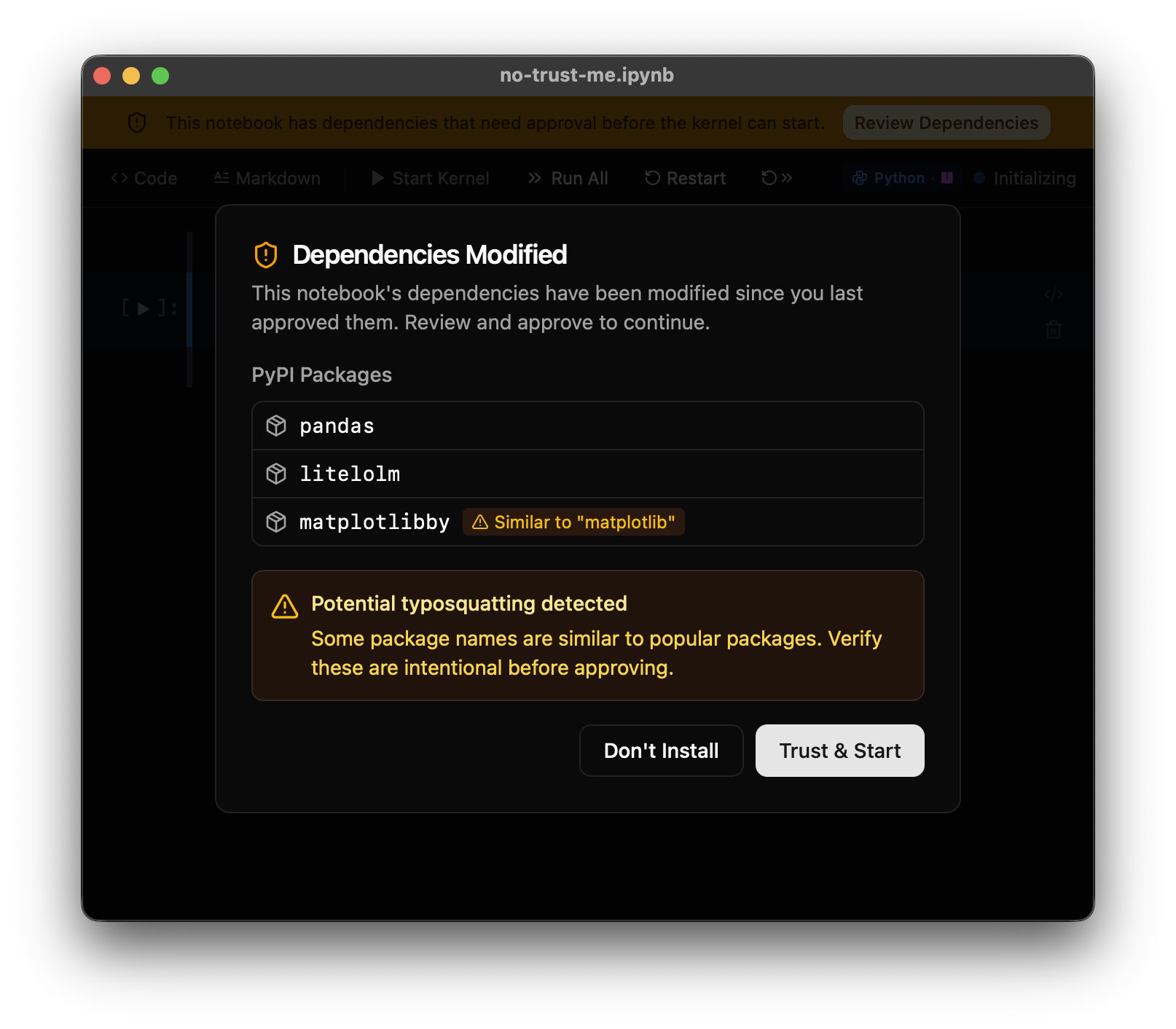
nteract won't install anything without your explicit approval. When you open a notebook with dependencies, the runtime doesn't start until you review the package list and click "Trust & Start." If anyone (or any agent) modifies dependencies after you've approved them, nteract detects the change and asks again.
We also run typosquatting detection against popular PyPI packages. If a notebook asks for matplotlibby instead of matplotlib, you'll see a warning before anything gets installed.
AI agents as first-class peers
If you want help with a notebook, you can fire up Claude Code, Warp, Codex, OpenCode, or Gemini to pair with.
We ship an MCP server and a CLI to interface with notebooks. Any agent can join you in the document as a realtime collaborator.
Humans and agents share a live workspace instead of a file. No more "this file has changed since you last read it." No stale reads, no clobbered edits. Just clean merges that weren't otherwise possible.
Agents can create and run cells, manage dependencies, manage runtime lifecycle, and more. You can see changes in realtime.
We know there's a lot more power to this than we're letting on, so we leave it to you to explore.
Local-first notebooks
Behind the scenes, every notebook is an Automerge CRDT document. If the runtime goes down, it doesn't take your document down with it. You still have the copy you're editing. The frontend and the runtime daemon are each their own Automerge peer.
This means:
- Instant editing. Keystrokes don't wait for a server.
- Crash recovery. The daemon persists the Automerge doc. If the app crashes, your work is there when you reopen.
- Autosave. The daemon writes
.ipynbon a debounce. No manual save needed (though ⌘S still works).
Something a little more wild you start to get used to is ephemeral notebooks. If you don't save the notebook, it doesn't store it as .ipynb. It's a pure automerge document that gets loaded up and used. Agents find these very useful for rapid experiments without needing to rewrite an entire script.
What you can do with it
For humans
- Open
.ipynbfiles natively. Just double-click from Finder/Explorer - Inline dependency management. Add packages without leaving the notebook
- Cell drag-and-drop, global find
- ipywidgets support
- Full terminal emulation for stream output — even interactive programs like
vimrender correctly (you'll need to interrupt the kernel to get out, but it looks great) - Dark mode, synced settings, auto-update
- Cell visibility toggles built in. Hide source to show only outputs, like a dashboard view.
For AI agents
For coding agents, they can use the runt CLI to manage resources and to launch the MCP server. Install it from the nteract menu nteract → Install 'runt' Command in PATH. Point any MCP-capable client at it — Claude Code, Cursor, Warp, OpenCode, Zed, you name it.
For Claude Desktop (CoWork and Chat), click nteract -> Install Extension for Claude.
Your agent gets full access to:
- Create and manage notebooks
- Write and execute code
- Read outputs (text, images, errors)
- Install dependencies
- Pattern-match edit cells (
replace_match,replace_regex) - Restart kernels, manage environment
What's next
- Runtime Decoupling: decompose kernel ownership into per-runtime Automerge peers.
- This unlocks both remote runtimes and alternative document types (who wants markdown instead of ipynb 🙋♂️ 🙋♀️)
- Sandboxing: OS-level isolation per runtime so agents can compute freely without escaping their notebook's boundaries
- Multiplayer widgets: move interactive widgets into a CRDT document for collaboration (and reliability for that matter)
- More Rich Media: support GeoJSON, Vega/Vegalite, Plotly out of the box
We'd love to hear what you want to build with it. Drop us an issue on GitHub.